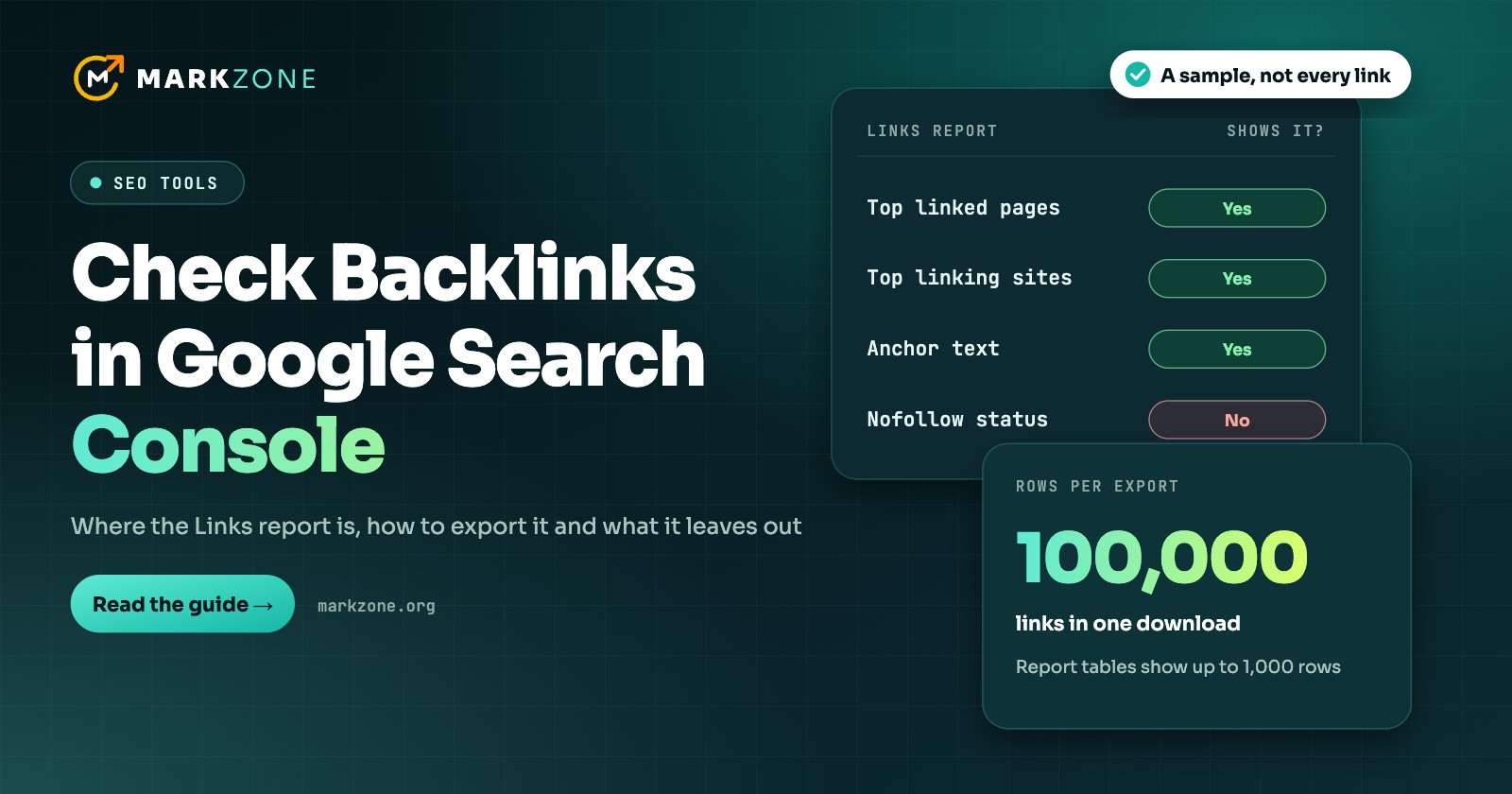
Open the Links report and start with External links. Its three tables stop at 1,000 rows each, and Export external links downloads up to 100,000 links.
Learn how it counts before you trust a number. Google groups linking sites by root domain, keeps links that “may have since been removed,” shows only a sample and “doesn’t specify if a link is marked as nofollow.”
For a link you paid for, it proves only that Google found it. Check the live page for the link and its rel value. In our catalog, 14,643 of 22,073 publisher sites (66%) are silent on whether they label guest posts as sponsored.
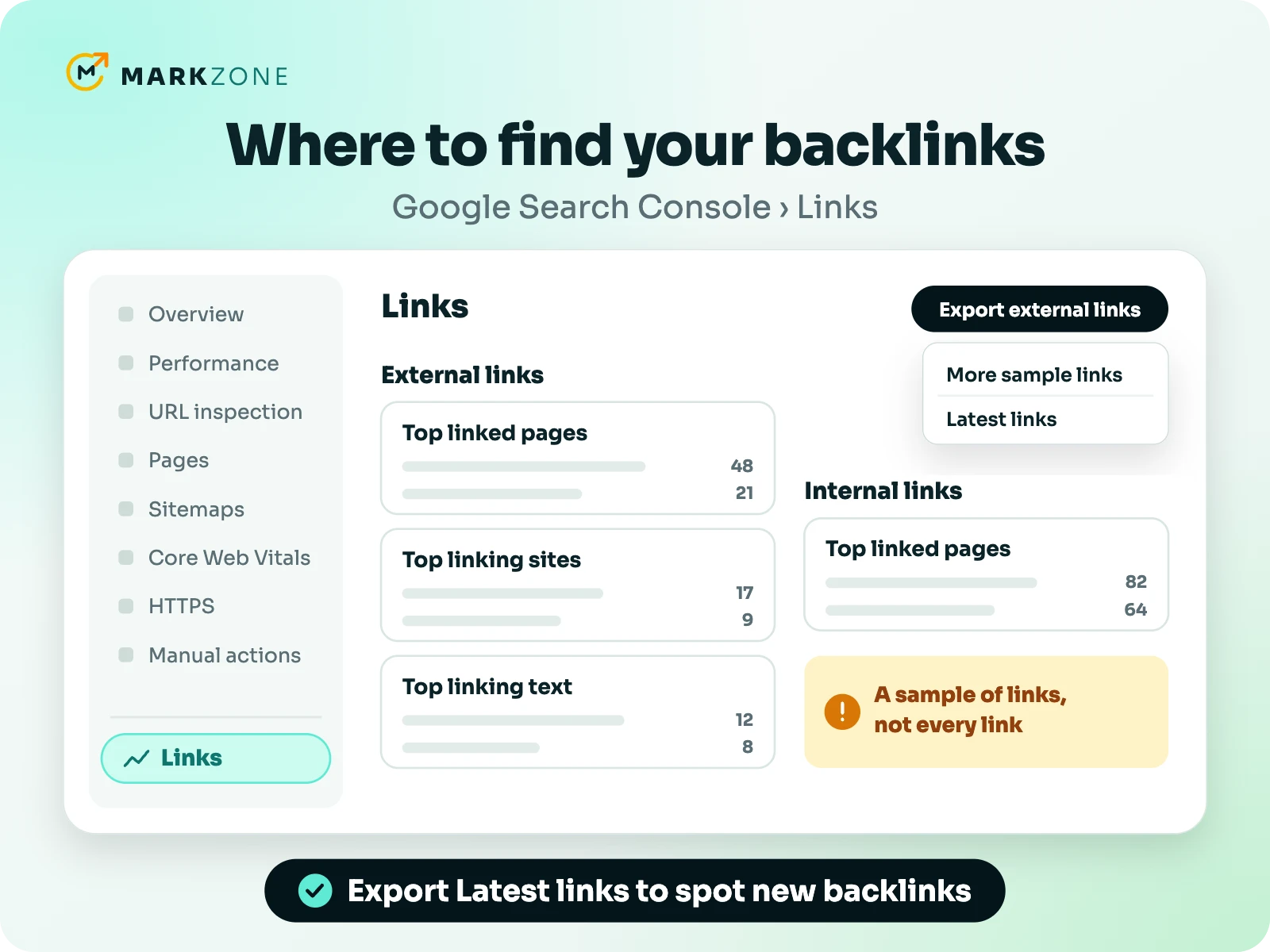
To check backlinks in Google Search Console, open your property’s Links report and look at External links. Its three tables show your most-linked pages (Top linked pages), the sites that link to you most (Top linking sites) and the words those links use (Top linking text). Click MORE under a table to see up to 1,000 rows, or use Export external links to download up to 100,000. Treat every number as a sample: Google’s Links report help says the report “isn’t a comprehensive list of every link on your site.”
Markzone sells link placements, so we want buyers to be able to check them, ours included. Every feature, limit and label below was checked against the sources listed at the end on 20 and 21 November 2026. The catalog numbers are from our guest post price study of 13 November 2026.
How to check your backlinks in Search Console
- Pick a property that covers the whole site. A Domain property “Includes all subdomains (m, www, and so on) and multiple protocols (http, https, ftp),” but it needs DNS record verification. A URL-prefix property “Includes only URLs with the specified prefix, including the protocol (http/https).” If you can’t verify the site, ask an owner for access.
- Open the Links report. Google’s help page links straight to it. External links holds the three tables; Internal links shows which of your pages your own site links to most.
- Click MORE under a table to open the full list. Google says “Tables are limited to 1,000 rows,” so a large site sees only its top 1,000 pages, sites or anchors.
- Drill down to the linking pages. Go to Top linked pages > MORE, select one of your pages, then select a linking site. You get the pages on that site that link to the page you chose. The route also works the other way round: Top linking sites > MORE > a site > one of your pages. Google notes that you can filter by page only “for a page that appears in the Top Linked Pages table.”
- Export the links. Export external links offers two files of up to 100,000 rows each, as a CSV file or a Google Sheet. Latest links holds “The most recently discovered links to your site,” sorted by discovery date. More sample links is “extracted from the full set of links known to Google,” which helps when far more than 100,000 pages link to you. A single table exports up to 1,000 rows, and sorting it on screen doesn’t change the file.
How the Links report counts links
Most misreadings come from treating this report as a complete, live count. Google’s help page explains:
| Rule | Google’s words | What it means when you read the report |
|---|---|---|
| It’s a sample | “Some URLs might be omitted for various reasons, such as non-indexed pages or deduped URLs.” | A link that isn’t listed may still be known to Google |
| It keeps history | “These links may have since been removed, or a page may no longer exist.” | A listed link isn’t proof that the link is live today |
| It ignores link attributes | “The report doesn’t specify if a link is marked as nofollow.” | Followed, nofollow and sponsored links look identical |
| Linking sites are grouped by root domain | Protocol, subdomain and subdirectories “are stripped and grouped together” | www.example.com and blog.example.com make one row, but example.com and example.com.de stay separate |
| Your pages are grouped by canonical URL | “Pages on your site are grouped by canonical URL.” | Links to a redirected or duplicate address are listed under the page Google treats as the original |
| Duplicate links are combined | A duplicate is “a link from the same source URL to the same target URL” | A footer link on 2,000 pages can count as up to 2,000 links from one site |
| Link text is grouped | Duplicates are “a case-insensitive exact match” | “Markzone” and “MARKZONE” share a row, and links with no text, such as image links, appear as “(empty)” |
Two details puzzle people most. If your own domain shows up in Top linking sites, Google explains that “it represents a subdomain that is omitted in the table.” The links come from a subdomain of yours that sits outside the property, such as blog.example.com when the property is https://www.example.com/. And a value in the Target URL (if different) column means the link points to another address. That address either redirects to your page or has your page as its canonical URL.
How to check a link you paid for
Search Console can confirm that Google found a link from a page to yours. It can’t tell you whether the link is still there, which anchor it uses or whether it carries rel="sponsored" or rel="nofollow". So check those on the live page with view-source or your browser’s inspect tool.
The label is the part buyers can least predict. Of the 22,073 publisher sites in our catalog, 21,754 list followed links. Only 240 say they mark guest posts as sponsored, 7,190 say they don’t, and 14,643 don’t say either way. Google’s spam policies call buying and selling links “a normal part of the economy of the web” only “as long as they are qualified” with rel="nofollow" or rel="sponsored". A link bought from our catalog is dofollow by default unless the publisher marks it otherwise, and a sponsored label is one request away on any order.
Example: checking five guest posts. Suppose you order five guest posts on sites with 1,000 to 4,999 monthly visits. The typical price in that traffic band of our catalog is $130, so about $650 before writing. The order is an illustration; the percentages are catalog figures.
| When | Where | What you should see |
|---|---|---|
| Day 1 or 2 | The five articles | Your link in the text, with the anchor and rel value you agreed. Over 96% of the 16,127 catalog sites stating a turnaround put it at 48 hours or less |
| After Google crawls the articles | Top linking sites | Five root domains that weren’t listed before (unless a site already linked to you), each with one or two links: 59% of catalog sites allow one link per post and 37% allow two |
| Same time | Top linked pages > your page > the site | The article’s URL under Linking page, with Target URL (if different) blank if the link uses your page’s exact URL |
| Every month | Latest links export | The article URLs among the most recent discoveries |
A site that shows full posts on its home or archive pages can add more links, one per page. Hundreds of links from one site usually mean your link also sits in a sidebar, footer or template, so open a few linking pages and look.
Google’s help pages give no timeline, and the report shows no data date. In Google’s office hours of 25 March 2022, John Mueller estimated about a week to a week and a half for new links. In August and September 2026, the report went about a month without fresh data. Until a link shows up, the live article is your evidence. If a placement never appears, find out whether Google has indexed the page your link is on.
How to track new backlinks with two exports
The report has no view of new or lost links, so compare exports. One way to do it in Google Sheets:
- Each month, export Latest links (each export opens as a new spreadsheet) and copy its rows into one tracking spreadsheet, one tab per month (for example, Nov and Dec).
- Keep the linking-page URLs in column A of each tab.
- In a new tab, list the pages that appear this month but not last month:
=FILTER(Dec!A2:A, Dec!A2:A<>””, ISNA(MATCH(Dec!A2:A, Nov!A2:A, 0)))
If no link is new, FILTER shows #N/A.
- To see which sites send the most links, count rows by host name:
=QUERY(ARRAYFORMULA(REGEXEXTRACT(FILTER(Dec!A2:A, Dec!A2:A<>””), “^https?://([^/]+)”)), “select Col1, count(Col1) group by Col1 order by count(Col1) desc”, 0)
Read the output with Google’s rules in mind. A new row is a link Google discovered recently, which isn’t always a link placed recently. A row that disappears isn’t proof of a lost link, because the file is a capped sample. And a row that stays isn’t proof the link is live, because the report keeps links “found over time.” Open the page before you chase the publisher.
What to do with what you find
- Sites you don’t recognize. Google’s advice is measured: “For known spam sites, Google typically will ignore the links, but you might want to remove or disavow these links.” The disavow tool is meant for a manual action, or a likely one, and it doesn’t support Domain properties.
- Anchors you didn’t choose. Google suggests you “Confirm that the link text is what you expect, and not spammy text.” One commercial phrase repeated across many sites is the pattern to fix, and keyword backlinks covers the mix to aim for.
- Linked pages that no longer exist. Open the top rows of Top linked pages. If one returns a 404 error, redirect it to the closest live page if a page does the same job; if none does, leave it as a 404.
A full review of who links to you, beyond what Google lists here, is covered in our guide to your backlink profile.
Why a backlink isn’t showing in Search Console
| Cause | Sign | What to do |
|---|---|---|
| Google hasn’t crawled or indexed the linking page | The article went live recently | Wait, then check whether the page is indexed |
| It isn’t in the sample | Missing from the tables and from both exports | Nothing to fix: Google leaves some URLs out |
| It points outside your property | The linked page sits on a subdomain your URL-prefix property doesn’t include | Use a Domain property |
| It’s listed under another page | The link targets an old or duplicate address | Look under the canonical page, in Target URL (if different) |
| The link changed before Google saw it | The live page no longer has your link | Ask the site owner to restore it |
Backlink tools fill other gaps, such as nofollow status, lost-link reports and other sites’ links. Their numbers will differ from Google’s, for the reasons set out in backlinks not showing in Ahrefs.
Filter publishers by niche, organic traffic and DR to find sites worth a link.
Frequently asked questions
Can I see a competitor’s backlinks in Search Console?
No. Search Console shows data only for properties you can access: you must “prove that you own the site,” or “ask another property owner to grant you access to the property.” For anyone else’s links, you need a third-party backlink tool.
Can my agency or client see our Links report?
Yes, without being owners. An owner adds them under Settings > Users and permissions. Google’s permissions table gives owners, full users and restricted users the Links report, so restricted access is enough. A property can have up to 100 users who aren’t owners.
Does disavowing a link remove it from the report?
No. Google’s disavow guide says “Disavowed links will continue to be shown in the Links report.” A disavowed link that’s still listed doesn’t mean the file failed.
Why did my external link count change when I switched to a Domain property?
Google counts as external “anything outside of your current property.” In a URL-prefix property for https://www.example.com/, links from your own blog.example.com are external links. In a Domain property for example.com, they’re internal. The Domain property also adds links to every other subdomain and protocol, so the external count can go up or down.
Sources
- Google Search Console Help: Links report (undated help page, checked 20 November 2026)
- Google Search Console Help: Add a website or platform property to Search Console (checked 20 November 2026)
- Google Search Console Help: Manual actions report (checked 20 November 2026; names the path “Links report > Export external links > Latest links”)
- Google Search Console Help: Managing owners, users, and permissions (checked 20 November 2026)
- Google Search Console Help: Disavow links to your site (checked 20 November 2026)
- Google Search Central: Spam policies for Google web search (last updated 28 August 2026)
- Google Search Central Blog: More and better data export in Search Console (26 February 2020; each export is its own spreadsheet, titled with the domain, the report and the export date)
- Search Engine Roundtable: Google Search Console Links Report Shows Links For New Sites In 7-10 Days (4 April 2022; quotes John Mueller in Google’s SEO office hours of 25 March 2022)
- Search Engine Roundtable: Google Search Console Links Report A Month Old (8 September 2026; last fresh data around 8 August 2026, no data date in the report)
- Google Docs Editors Help: FILTER, MATCH, QUERY and REGEXEXTRACT (checked 21 November 2026)
- Markzone: Guest post price study (catalog snapshot of 13 November 2026: link types, sponsored labels, links per post, turnaround, prices by traffic)
Want more links worth tracking?
Send us the pages you want to rank, and we’ll shortlist relevant publishers with real search traffic.

Muhammad Suleman is the founder of Markzone. He has done guest posting and link building since 2018 and has worked with hundreds of clients. Today his team handles 300–400 orders a month for brands and SEO agencies, with publisher sites in every major niche. He leads outreach, site checks and reporting, and writes about link building from his daily work with publishers and clients.