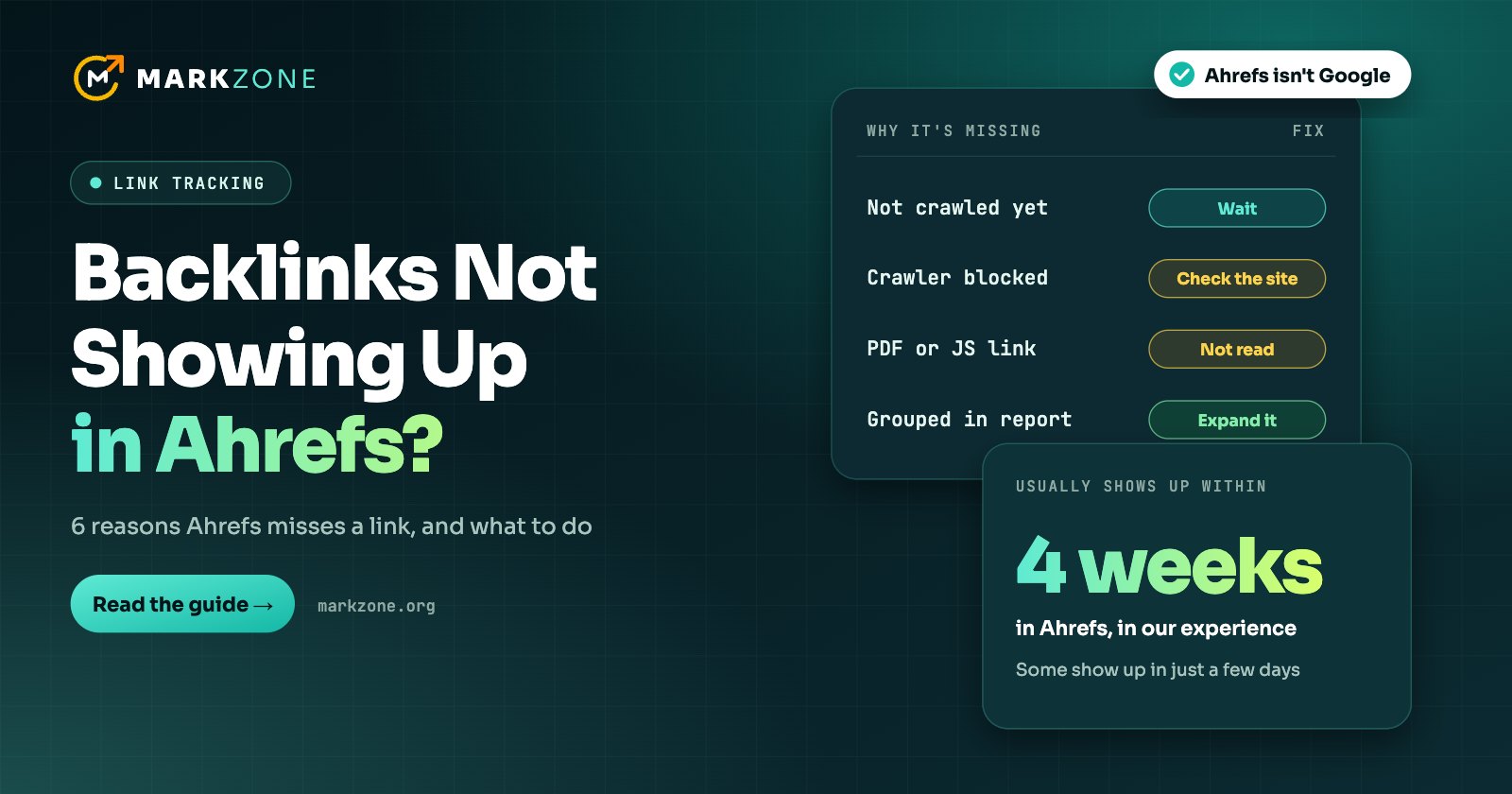
Usually it just needs time. Ahrefs crawls the web by priority, so a new link can take from a few days to a few weeks to appear.
Some links Ahrefs can’t see. Sites that block its crawler, links in PDFs, JavaScript links on less popular pages, and sites like LinkedIn and Quora.
Ahrefs isn’t Google. A link that’s missing from Ahrefs can still be found and counted by Google.
Backlinks usually don’t show up in Ahrefs because its crawler hasn’t reached the page with your link yet. Ahrefs crawls stronger sites and pages first, so a new link can take days or weeks to appear, and links on small sites may never be picked up. The other common reasons are a site blocking Ahrefs’ crawler, links Ahrefs can’t read, and report settings that hide the link.
We want the links we place to show up in Ahrefs as much as you do. This guide is based on Ahrefs’ own help pages, plus what we see after our links go live.
How long Ahrefs takes to find a new backlink
Ahrefs’ help page on new backlinks says it can take from a few days up to some weeks before it crawls a new backlink. Our own links usually appear within that window, typically inside four weeks.
The wait depends on how Ahrefs decides what to crawl. Sites with a higher Domain Rating get crawled more fully, and pages with a higher URL Rating are more likely to be indexed and updated often. When its crawler finds new backlinks pointing to a page, that page moves up the queue. A page that gets no new links for a long time is recrawled less often.
The kind of link changes the wait. A link insertion sits on a page Ahrefs may already know, so it appears the next time Ahrefs recrawls that page, which happens sooner on stronger pages. A guest post is a new page, so Ahrefs first has to discover it through links from other pages, such as the publisher’s homepage or category pages. We compare the two link types in guest posts vs. link insertions.
6 reasons your backlink isn’t showing in Ahrefs
Work through these in order. For a new link, the first one is the most likely.
1. Ahrefs hasn’t crawled the page yet
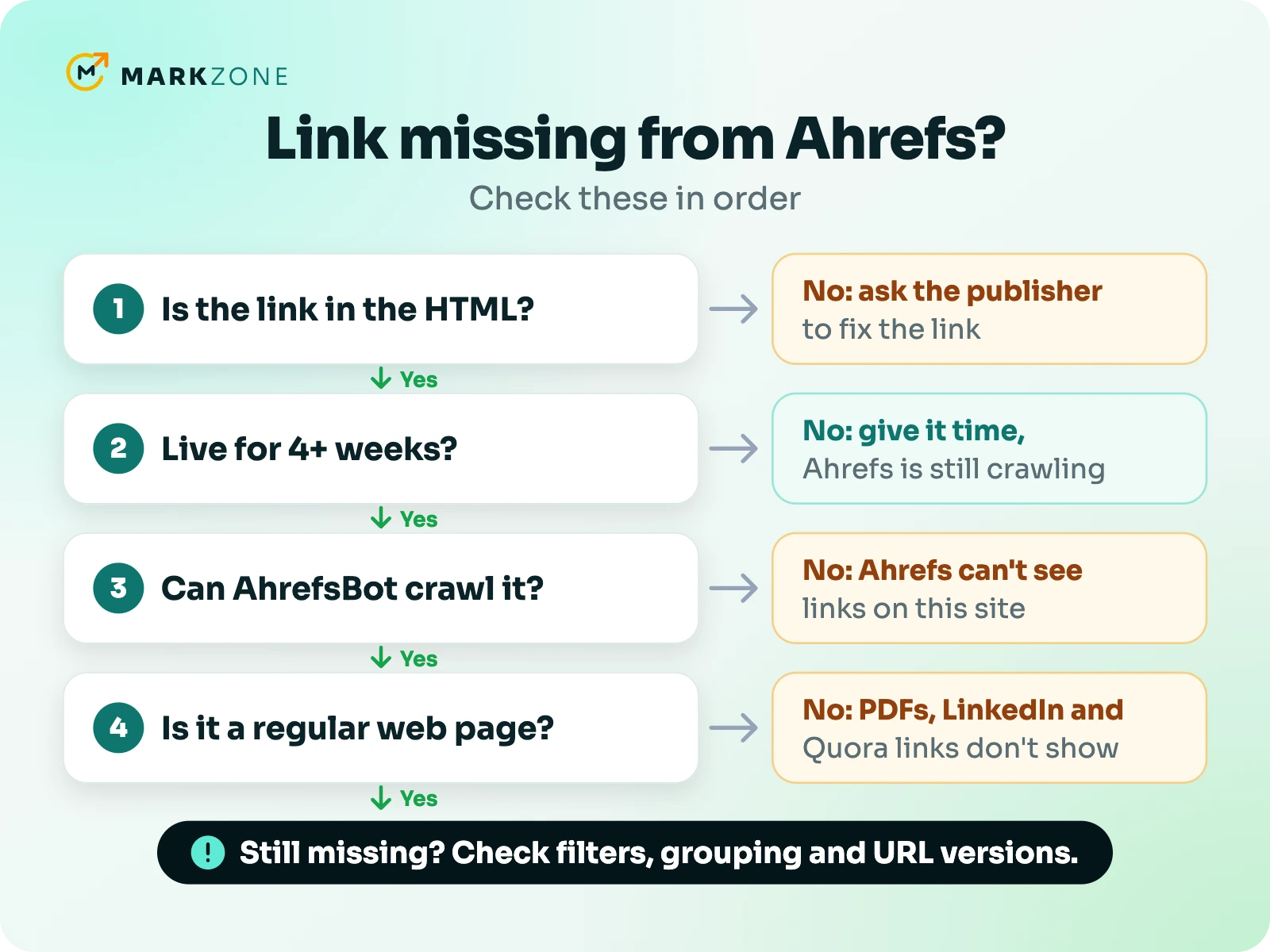
If the link went live in the last few weeks, Ahrefs may simply not have reached it yet. For new pages, Ahrefs suggests waiting a week or two, and we would give it up to four weeks before looking for other causes.
2. Ahrefs only crawls part of the site
Ahrefs says less popular domains, with a lower DR and fewer quality backlinks, are only partly crawled. If a low-DR site has a lot of pages, Ahrefs says it won’t be able to index all of them. It can also drop pages it rates very low or sees as duplicates. So a link on a deep page of a small site may take a long time to show, or never show at all. That is a limit of Ahrefs’ coverage, not a verdict on the link.
3. The site blocks Ahrefs’ crawler
Some sites block AhrefsBot in their robots.txt file, and Ahrefs says its bots strictly respect robots.txt. Hosting firewalls and CDNs can stop it too. If a site blocks the crawler, Ahrefs won’t see any links on it, however long you wait. You can check any site’s status on Ahrefs’ robot page.
4. Ahrefs can’t read the link
Ahrefs doesn’t crawl PDF files for links. It also says sites like LinkedIn, Quora and SlideShare block or limit its crawler, which is the main reason links from them don’t appear. A link added with JavaScript can also be missed if the page isn’t popular enough for Ahrefs to render it.
5. The report is hiding it
Sometimes Ahrefs has the link, but you can’t see it. The Backlinks report groups similar links by default, so a link that appears on several pages of one site shows as a single row that you can expand. Filters for link type or status can hide it too. Also check the target. Ahrefs treats www and non-www, and URLs with and without a trailing slash, as different pages. So look up your whole domain rather than one exact URL.
6. The link changed or was lost
If Ahrefs shows the link as lost, its label tells you why. Common reasons include the page now redirecting, the page no longer being canonical, the site returning an error when Ahrefs visited, or the crawler being blocked. Ahrefs can also mark a link as lost even when you can still see it on the page. Sometimes the link really was removed, though in our experience that is rare with our links.
How to check that your link is really live
- Open the page in a private window. Find your link and make sure it sits in the article and points to the right URL.
- Search the page source. Right-click, choose View Page Source and search for your URL. If it’s on the page but not in the source, it is added by JavaScript.
- Check the link type. A nofollow, sponsored or ugc link still appears in Ahrefs, but a dofollow filter will hide it. Our guide to nofollow links shows how to check.
- Look up the page in Ahrefs. Enter the URL of the page your link is on in Site Explorer. If Ahrefs hasn’t crawled it yet, its Page Inspect view shows “No HTML code snapshot found for this page.”
- Check Google too. Put the article’s title in quotes and search for it. If the page shows up, Google has indexed it and seen your link, whatever Ahrefs shows.
Does it matter if Ahrefs doesn’t show your link?
For Google, not directly. Ahrefs and Google run separate crawlers. A link Ahrefs hasn’t found can still be found and counted by Google. Equally, a link in Ahrefs isn’t proof that Google has seen it. Google finds pages on its own schedule, as we explain in how long backlinks take to work.
It does matter for your Ahrefs numbers. Your Domain Rating is calculated from the links in Ahrefs’ own index, so a link Ahrefs hasn’t found won’t move your DR. Our guide to Domain Rating explains how the score works.
What you can do
- Ask the publisher to link to the post. Ahrefs finds new pages by following links, so a post linked from the homepage, a category page or a popular article is easier to reach.
- Choose stronger sites. Links on higher-DR sites and well-linked pages tend to show up sooner, for the reasons above.
- Check a site before you buy. If Ahrefs reports matter to you or your client, make sure the site doesn’t block AhrefsBot.
- Cross-check in another tool. Semrush, Moz and Majestic run their own crawlers, so a link missing from one may appear in another.
- Be careful with “indexing” offers. Ahrefs doesn’t take submitted links, so no service can make it crawl a page on demand.
Frequently asked questions
How long does it take for Ahrefs to show new backlinks?
Usually a few days to a few weeks. Ahrefs says it can take up to some weeks, and in our experience most new links show up within four weeks.
Can I submit my backlinks to Ahrefs?
No. Ahrefs says you can’t submit links to Site Explorer or ask for an on-demand crawl. It finds new links as it crawls the web.
Why do Ahrefs and Search Console show different backlinks?
Each tool has its own data. Ahrefs shows what its crawler has found, while Search Console’s Links report shows a sample of the links Google knows about. Neither is a complete list.
Do nofollow links show up in Ahrefs?
Yes. Ahrefs lists nofollow, sponsored and ugc links as well as dofollow ones, and you can filter by link type.
Want links on sites with real Ahrefs data?
Tell us your website, and we’ll suggest sites with real Ahrefs traffic, plus their prices.

Muhammad Suleman is the founder of Markzone. He has done guest posting and link building since 2018 and has worked with hundreds of clients. Today his team handles 300–400 orders a month for brands and SEO agencies, with publisher sites in every major niche. He leads outreach, site checks and reporting, and writes about link building from his daily work with publishers and clients.